
Canva started as a drag-and-drop design tool, but by 2026 it has evolved into a full business platform. Graphic designers, small business owners, and first-time creators now make money with Canva through print-on-demand (POD) stores, digital products, freelance packages, content brands, and passive income streams.
The barrier to entry stays low – a free Canva account gives you access to thousands of templates and the core editor. Upgrading to Canva Pro (currently $15/month) unlocks brand kits, premium assets, and background removal. Either way, you can start selling your own designs without a design degree or startup capital.
Here's what that looks like in practice: eight specific ways to earn money with Canva, how each works, and what it takes to start.
Can you really make money with Canva?
Yes. Canva supports several distinct income models:
-
Selling digital products: Templates, planners, eBook layouts, and social media kits on Etsy or Creative Market.
-
Print on Demand: Uploading designs to a POD platform like Printful, which handles printing and shipping.
-
Freelance design services: Delivering graphics packages to clients through Fiverr or Upwork.
-
Canva Creator program: Earning royalties when other Canva users download your uploaded templates.
-
Content and education: Monetizing tutorials, mini-courses, and faceless social media content.
-
AI-assisted design: Using Canva's built-in AI tools to build scalable design catalogs.
Most people try out only one or two of these ways to make money with Canva and stop there. Creators who earn more money tend to combine several: a template seller who also runs a YouTube channel promoting their shop, for instance, builds an audience that feeds both income streams at once.
What connects all of them is simple: you create a design once, and it keeps earning. A social media template pack you build over a weekend can sell on Etsy for months. A course on Canva workflows can bring in passive income on Skillshare long after you record it.
The best ways to make money with Canva
Each method suits a different time commitment, skill level, and income goal. Pick the one that fits your situation, then scale from there.
1. Sell print-on-demand products with Canva
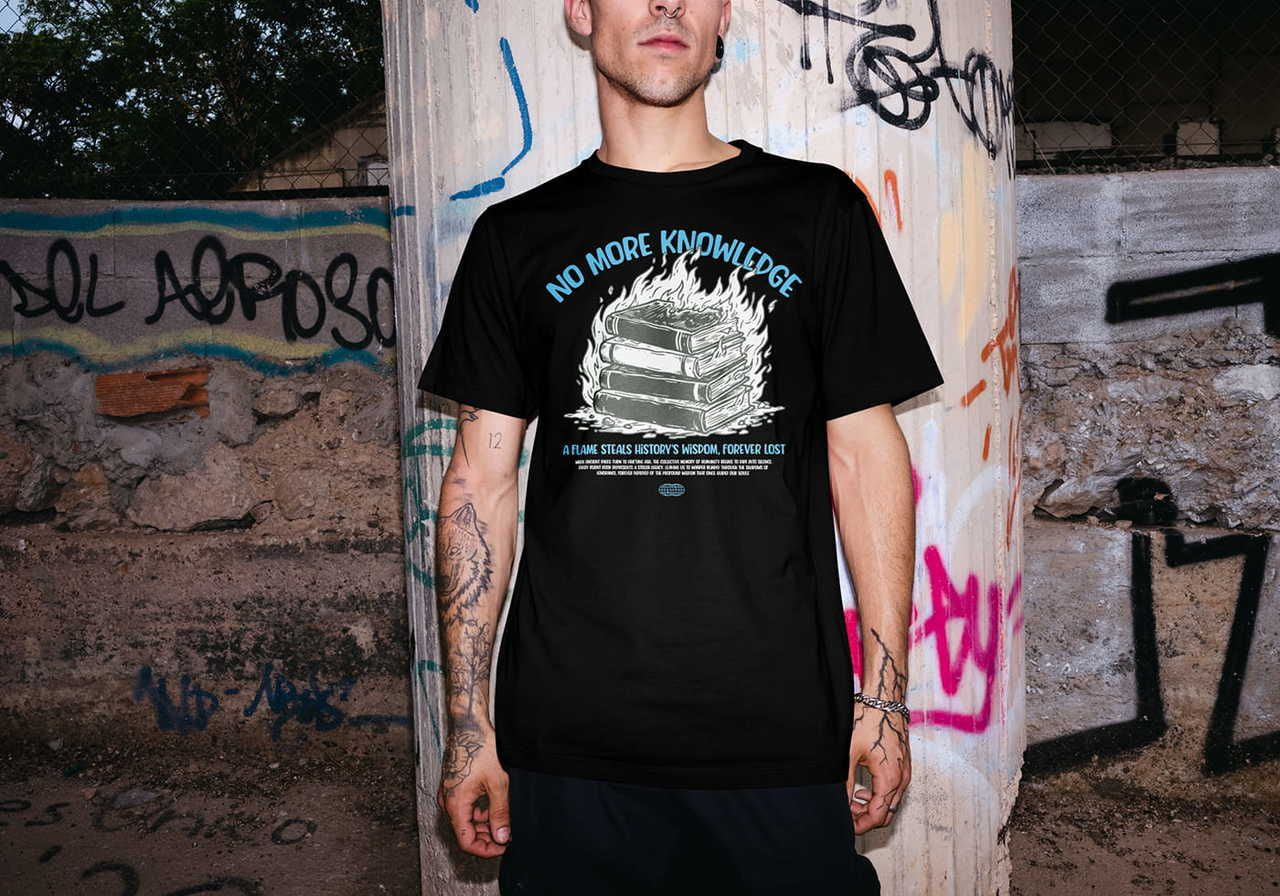
Print on Demand lets you turn Canva designs into physical products (t-shirts, tote bags, mugs, posters, phone cases) without holding any inventory. You create the designs, a POD platform like Printful prints and ships each order, and you keep the margin.
How it works:
Use Canva's editor to create product-ready artwork – motivational quotes for wall art, graphic tees, or branded tote bag designs. Export the file at the correct resolution (300 DPI for most print products; see Printful's print file guide for exact specs).
Upload the design to Printful's Design Maker, use product mockups to preview the result, connect to an online store, and publish.
How to start:
Sign up for free Canva and Printful accounts. Browse trending products to identify what's selling in your niche: minimalist wall art, funny mugs, and custom t-shirts consistently perform well.
Create three to five products in one niche, publish them, and promote them through social media or Pinterest. Each sale generates passive income while Printful handles fulfillment.
Best products for beginners:
-
Unisex t-shirts (high volume, low complexity)
-
Posters and wall art (simple flat designs work well)
-
Tote bags
-
Mugs
-
Phone cases

 Design your custom products
Let’s go
Design your custom products
Let’s go
2. Sell Canva templates on Etsy
Selling Canva templates on Etsy remains one of the most accessible ways to earn money online. Many buyers are searching specifically for editable digital downloads. Canva templates fit that demand perfectly: buyers get a customizable file they can edit without hiring a designer.
How it works:
You create a template in Canva, generate a shareable link (set to "Anyone with the link can use template"), and deliver that link as the digital download. The buyer clicks it, opens a copy in their own Canva account, and edits it freely. You never ship anything.
List on Etsy, Creative Market, or your own website. Each listing needs a clear product mockup, a descriptive title, and instructions on how template delivery works. Build enough listings, and you have a functioning Canva template shop generating sales around the clock.
How to sell Canva designs legally:
Canva's licensing rules matter before you list anything for sale.
-
Free elements: Available for personal use only in most cases. Don’t include free Canva stock elements in templates you sell.
-
Pro elements: Licensed for commercial use, but only as end products (a finished design on a product) – not as standalone editable files.
-
Pre-made templates from Canva's library: You can customize and sell these as new works, provided you add original value and don’t simply resell an unmodified Canva pre-made template.
-
Your own uploaded assets: Fully yours to sell.
-
Fonts: Some bundled Canva fonts carry restrictions. Check the font license individually before including it in a paid template.
-
Safe approach: Build templates using your own assets or elements explicitly cleared for commercial template resale. When in doubt, check Canva's Content License Agreement.
How to start:
Research which eCommerce niches show consistent demand: real estate agents, social media managers, wedding planners, and course creators all buy templates regularly. This is where understanding how to sell Canva designs legally and profitably begins.
Build a cohesive pack of five to ten related templates, photograph them with clean mockups, and write a product description that answers: "What problem does this solve, and how do I use it?"
Sellers who research their niche before listing consistently make more money selling Canva templates than those who upload at random.
3. Offer freelance design services

Not every small business can afford an agency or a full Adobe Creative Cloud workflow. Many just need consistent, professional-looking social media graphics, Instagram templates, social media banners, or a simple brand kit.
Canva freelancers fill that gap at a price point small businesses can sustain, and solid design skills matter more here than any specific software.
How it works:
A monthly retainer covering 12 Instagram posts plus four stories delivers more predictable income than one-off logo jobs. Structure your services as packages from the start. Canva Pro speeds up delivery with brand kits (store the client's colors, fonts, and logos), one-click resize for multiple formats, and access to pro templates.
Typical services with strong demand in 2026:
-
Short-form content packages (Reels covers, TikTok thumbnails, YouTube Shorts graphics)
-
Carousel templates for LinkedIn and Instagram
-
Social media posts and story sets for small businesses
-
Creating logos and brand identity kits
-
Pinterest pin batches
-
Branded presentation decks
How to start:
Build a three- to five-piece portfolio using Canva templates: sample Pinterest boards, product mockup designs, and social media carousels.
Post them on Behance or a simple Notion page. List your services on Fiverr or Upwork, starting with a narrow niche (“Instagram carousel graphics for wellness brands"). As your portfolio grows, move from one-off gigs to monthly retainers with repeat clients.
4. Sell Canva templates and digital downloads beyond Etsy
Etsy works well for discovery, but it charges listing fees and a 6.5% transaction fee per sale. Once you have an audience or your own website, selling directly removes the middleman and increases your margin on every transaction.
How it works:
Create template packs and sell them through Gumroad, Payhip, or a Shopify store. Each buyer gets a shareable link they open and copy into their own Canva account.
Treated seriously, this becomes a genuine Canva template business: recurring revenue from a catalog that grows with every new release.
How to start:
Start with a tight focus: social media post bundles for a specific audience (real estate, fitness coaches, restaurants).
Bundle five to ten templates with matching branding elements: same color palette, font pair, and graphic style. Use Canva itself to create product mockups. Once you have your first 10 to 20 sales and a handful of reviews, expand the catalog and start selling multiple products to the same customer base.
5. Join the Canva Creators program

The Canva Creators program pays designers a royalty each time another Canva user selects their template, element, or media inside the platform. Your work lives inside Canva's template library, visible to millions of active Canva users every day.
It's probably the most passive model on this list: you upload once and earn based on usage volume.
How it works:
Creators earn royalties based on how often their contributions get used. Canva weighs usage, engagement, and template quality. Templates that fill underrepresented niches (non-profits, local businesses, niche seasonal content) often outperform generic designs because the competition stays lower. Canva and its partner sites also feature top-performing work in curated collections, driving additional visibility and usage.
How to start:
Apply through the Canva Creators portal and share templates from your strongest niche. Early adopters who built libraries in underrepresented categories before those niches became crowded still see disproportionately high usage.
Consistent uploads with keyword-optimized titles help your work surface in Canva's search bar.
6. Start a faceless content brand with Canva
Short-form content platforms reward consistency over on-camera presence. Accounts built around quote graphics, carousel breakdowns, design tutorials, and template showcases can generate real traffic and income entirely through Canva-created visuals.
How it works:
Pick a platform and a niche. A Pinterest account posting daily quote graphics to a wellness audience can drive thousands of monthly visits to a template shop. A TikTok page showing Canva design tricks in 30-second clips can build a following that converts to course or template sales.
Instagram theme pages built around a specific aesthetic (minimalist productivity tools, travel photography overlays, interior design mood boards) work the same way.
What Canva handles in this workflow:
-
Thumbnails and covers: Consistent branded imagery, including YouTube thumbnails, for every post.
-
Quote and tip graphics: Batch-produce 20-30 social media graphics at once using a master template.
-
Carousels: Multi-slide educational posts for LinkedIn or Instagram.
-
Content repurposing: Resize a single design for TikTok, Instagram, Pinterest, and YouTube in seconds with Canva's resize tool.
How to start:
Choose one platform and produce 30 days of content before expecting results. A YouTube channel dedicated to Canva tips lets you create videos that drive both affiliate sign-ups and template sales.
Set up a Canva brand kit with fixed colors and fonts so every post looks cohesive. Add a link in your bio to your template shop or affiliate offer.
Monetize through affiliate commissions on Canva Pro sign-ups, direct template sales, or sponsored posts once you reach a meaningful audience.
7. Use Canva with AI tools
Canva's AI suite – including Text to Image, Magic Write, and Magic Design – reduces production time for content that previously required specialist tools. This matters for scaling: you can generate a 20-piece product catalog in an afternoon rather than a week.
How it works:
-
AI image generation: Type a prompt in Canva's Text to Image tool and generate original artwork. Use it for POD designs, printable wall art, or digital paper packs.
-
Magic Write: Generate social media captions, product descriptions, or course outline drafts directly inside the Canva editor.
-
Magic Design: Paste a brief, and Canva auto-generates a full layout. Useful for rapid template prototyping.
-
Mockup generation: Drop your Canva designs into built-in product mockups to create listing images without a photography setup.
-
Animated stickers and design elements: Create motion graphics and pre-made elements to sell as digital downloads or use inside template packs.
How to start:
Focus AI generation on a specific niche. Pastel botanical wall art, motivational quote sets for gym-goers, or holiday-themed graphic packs all have proven Etsy demand.
Generate a cohesive set, apply a consistent color treatment, and package them as a bundle. Use Canva Print to order physical samples before listing POD products.
Always check Canva's current AI content policy to confirm that generated assets qualify for commercial sale before listing them.
8. Teach Canva online or sell mini-courses

Canva's user base reached 265 million monthly active users by the end of 2025, and a significant portion of those Canva users want to use the platform more effectively.
That demand supports a healthy market for Canva tutorials, workshops, and structured courses aimed at beginners, small business owners, and content creators without design training.
Teaching is also one of the few ways to turn a side hustle into a scalable, recurring income without constantly creating new products.
How it works:
Turn your Canva workflow into digital products: a short eBook on creating Instagram templates that convert, a Skillshare class on building a Canva template shop, or a self-hosted mini-course on branding for small businesses.
Monetize through course sales, Skillshare royalties, or coaching sessions sold as add-ons.
How to start:
Start with a single, specific topic: "How to design a 10-post Instagram carousel in Canva." Record a screen-capture walkthrough using Loom or OBS. Share it on TikTok or YouTube as a free preview.
Once you validate interest through views and comments, package an extended version into a paid course on Gumroad, Teachable, or Skillshare. Build your audience first – even 500 engaged followers convert better than 50,000 passive ones.
How to choose the best Canva business model
Method
Startup cost
Difficulty
Best for
Print on Demand
$0
Low
Designers who want physical products without inventory
Sell templates on Etsy
$0-$15/mo (Pro)
Low-Medium
Creators comfortable with Etsy SEO and digital delivery
Freelance design services
$0-$15/mo (Pro)
Medium
People who want immediate income and enjoy client work
Digital downloads (own site)
$10-$30/mo (hosting)
Medium
Sellers ready to own their audience and margins
Canva Creators program
$0
Low
Designers who want passive royalties inside the platform
Faceless content brand
$0-$15/mo (Pro)
Medium
Creators comfortable with consistent content production
AI-assisted design catalog
$0-$15/mo (Pro)
Low-Medium
High-volume sellers building large template or POD catalogs
Teach Canva / sell courses
$0-$50/mo (platform fees)
Medium-High
People with teaching skills and an existing or growing audience
What mistakes to avoid when making money on Canva
Picking the right business model matters, but execution is where most people lose ground. These are the most common errors that slow down or stall a Canva-based income, and how to sidestep each one.
Choosing the wrong Canva account
The free plan works for testing ideas, but it restricts access to brand kits, premium fonts, and the background remover. Freelancers and template sellers working with clients or building polished product listings will hit that ceiling quickly.
Canva Pro costs $15/month and pays for itself after one or two client projects.
Selling unlicensed content
This causes store suspensions. Always use your own uploaded assets, or elements explicitly cleared for commercial resale.
Free Canva stock elements carry personal-use restrictions. Pro elements permit end-product use but not resale as editable template components.
Tip: Read Canva's content license before listing anything.
Publishing low-quality listings
Blurry mockups, vague product titles, and missing usage instructions cost sales. Every template listing needs a high-resolution mockup, a clear description of what's included, and step-by-step instructions for how template delivery works on that platform. Buyers who feel confused leave without purchasing.
Depending on one income stream
A single revenue source creates fragile income. Template sellers who also offer freelance services or run a POD store weather algorithm changes and slow seasons better than those relying on one channel.
Ignoring SEO on listings
A title like "Editable social media templates for real estate agents" outperforms "Canva template bundle" on Etsy search. Use keyword research tools (Etsy's own search bar autocomplete, eRank, or Marmalead) to identify what buyers actually type. Apply those phrases in your title, tags, and description.
Underpricing your work
Template packs priced at $2-$3 signal low quality and make scaling impossible. Research comparable listings, factor in your production time, and price for the value delivered, not the time spent.
A 20-template social media kit that saves a business owner ten hours of work justifies a price of $25-$45.
Treating it as a short-term side hustle
Canva creators who build real businesses track sales data, update listings, monitor competitor pricing, and reinvest revenue into better tools or advertising.
A free Canva account is enough to start, but scaling requires treating your Canva account as a business asset.
How to make money with Canva and Printful
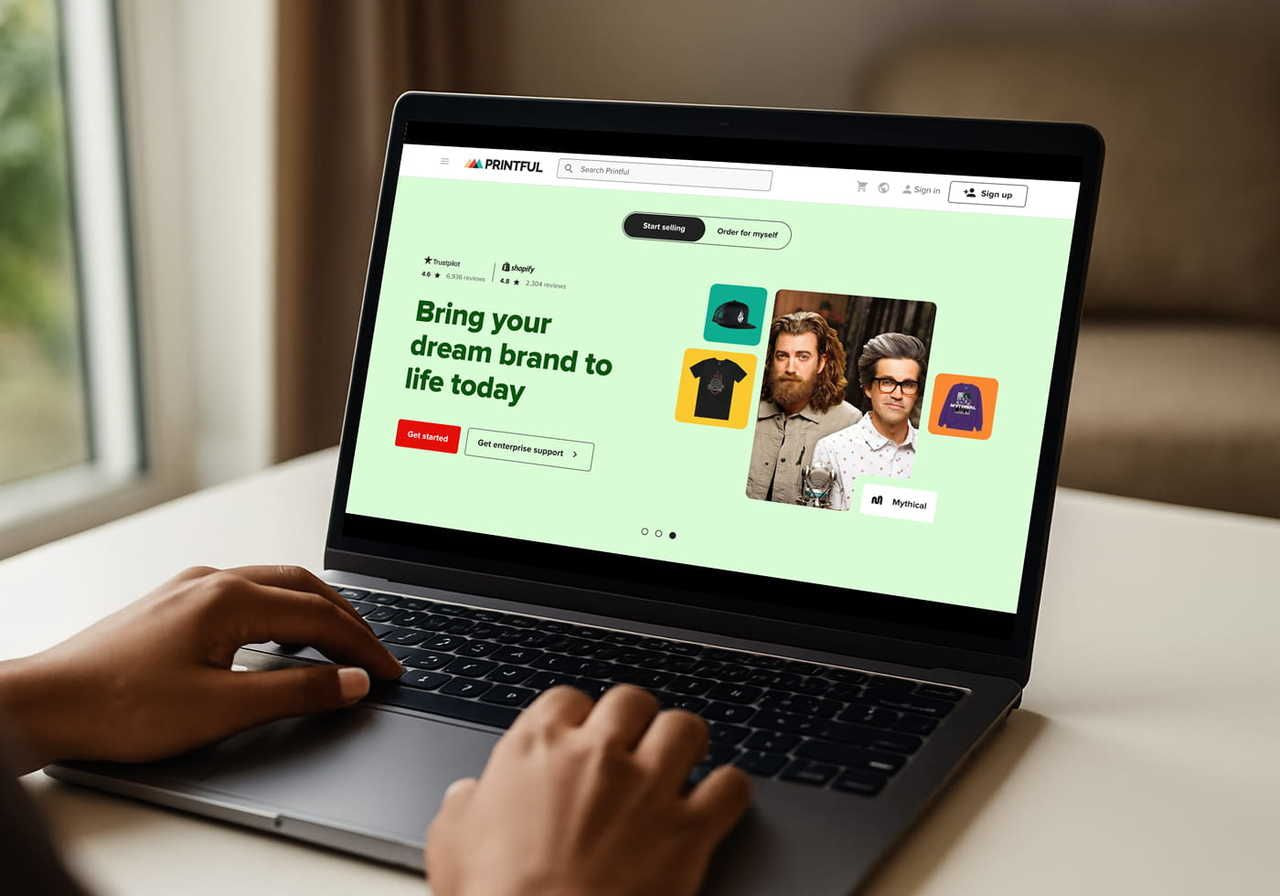
Pairing Canva with Printful removes every operational barrier between a design idea and a live product for sale. You handle the creative work; Printful handles printing, packing, and worldwide delivery.
Sign up for free
Creating a Printful account is free. There are no subscription fees, minimum orders, or inventory requirements.
Pick your products
Choose from hundreds of products across apparel, home decor, accessories, and wall art. Create multiple products in the same niche to give customers more options and earn more money per visitor to your store.
Customize the design
Upload your Canva design to Printful's Design Maker. Adjust placement, preview in 3D on the actual product, and check if your print file meets the resolution requirements.
Sell to a global audience
Printful connects to Shopify, Etsy, WooCommerce, and other major platforms. Once your store goes live, Printful fulfills every order automatically while you focus on growing your customer base.
Design your products
Let’s go
Conclusion
Choosing how to make money on Canva comes down to which model fits your skills and goals:
-
Sell templates if you want passive income from your own designs.
-
Use POD if you want physical products without inventory.
-
Go freelance if you want immediate cash flow.
-
Build a content brand or course if you want to compound an audience over time.
Start with one method and start making sales. As you test Canva ideas and learn what your audience buys, layer in others. Each additional stream tends to make more money than the last because it compounds off the audience you've already built.
Canva supplies the design tool; the business model is yours to build.
How to earn money with Canva: FAQ
Can you make money through Canva?Yes. Canva supports multiple income paths: selling Canva templates on Etsy or Creative Market, running a POD store through a platform like Printful, offering freelance design services, earning royalties through the Canva Creators program, and monetizing Canva tutorials or courses.
Each path requires varying time investments and suits different skill sets, but all have low startup costs.
What can I make on Canva to sell?You can sell editable templates (social media posts, Instagram templates, planners, presentation decks, resumes), print-on-demand products (t-shirts, posters, mugs), digital art (wall art, printable packs, animated stickers), and educational products (mini-courses, eBooks, Canva tutorials).
Social media templates and POD wall art consistently rank among the highest-volume categories on Etsy and Creative Market.
How much do Canva Creators get paid?How to get paid on Canva through the Creators program depends on usage volume. Canva pays royalties based on how often your templates, elements, or media get used within the platform.
Earnings vary significantly by upload volume, niche relevance, and template quality. Some Creators report a few hundred dollars monthly; high-volume contributors in trending niches earn more. Canva does not publicly publish a fixed per-use rate.
Which Canva templates sell the most?Social media templates – particularly Instagram post packs, Pinterest pin templates, and carousel layouts – consistently sell in high volumes on Etsy and Creative Market.
Niche-specific kits for real estate agents, coaches, and wedding planners outperform generic packs because buyers search by job titles and use cases. Seasonal content (holiday cards, event promotions) also spikes predictably around calendar events.